
CLIX - Plex in your terminal!
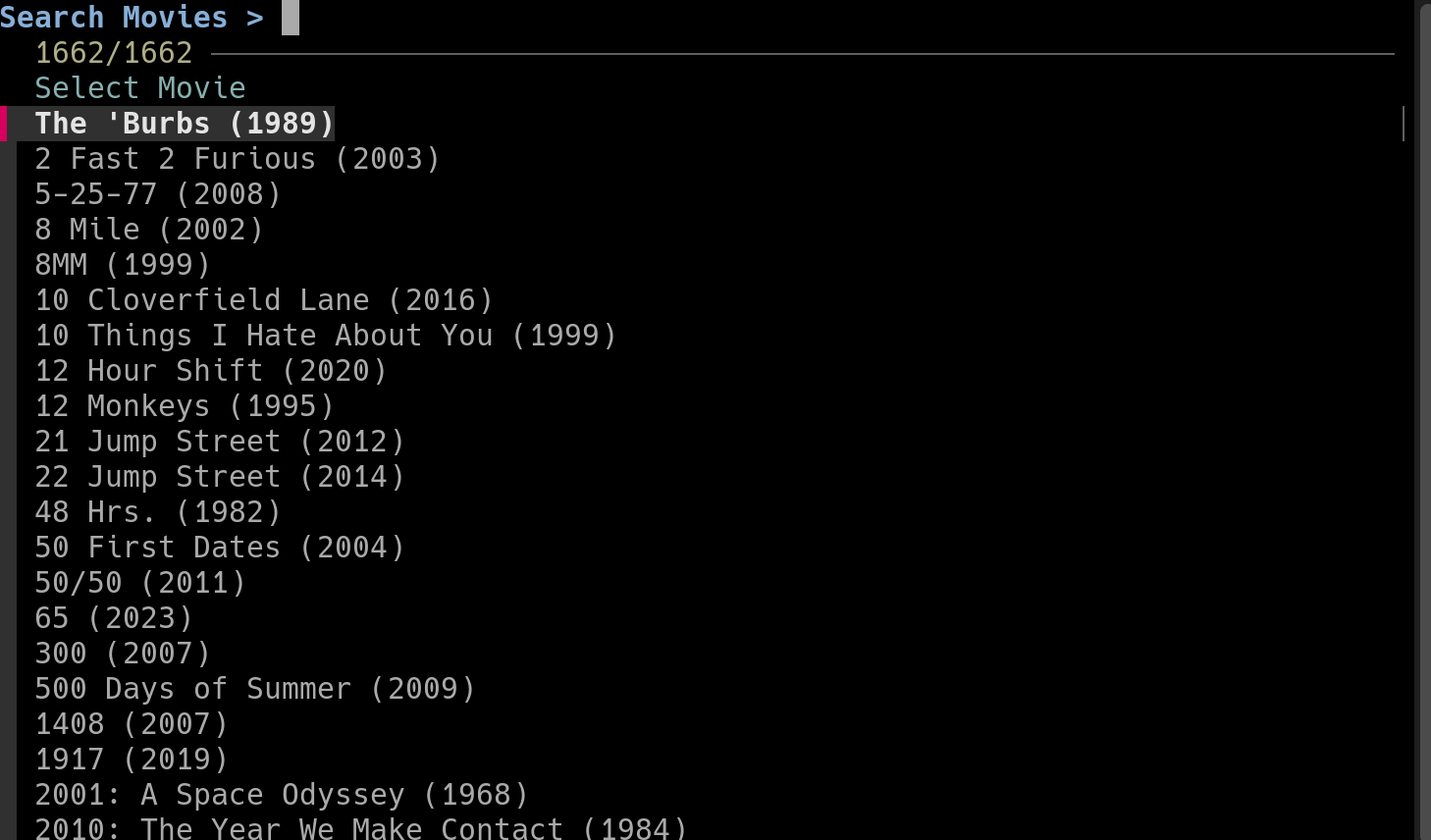
If you run a Plex server, you already know the routine. You sit down, open the app, scroll through your library, pick something, hit play. It works, and it works well. But there's a particular kind of moment, usually late at night, often over an SSH session into a home server, when you don't want to fire up a browser or wait for a desktop client to launch. You just want to play something. That's the gap CLIX was built to fill.
CLIX is a command-line interface for Plex. It lets you browse and play the contents of your Plex Media Server entirely from a terminal, with keyboard-driven menus, fuzzy search, and mpv doing the heavy lifting on playback. No web UI, no client app, no mouse.
Why a terminal client for Plex?
The honest answer is that it sounds niche until you actually need it. If you spend any real time in a terminal, the idea of leaving it just to start a movie feels like friction you didn't realize you were tolerating. CLIX removes that friction. It also pairs nicely with a workflow a lot of homelab folks already have: SSH into the box, do whatever needs doing, and now also queue up an episode while you're there.
It's worth noting that this isn't just my take. How-To Geek recently included CLIX in their roundup of self-hosted apps that belong on every Plex server, alongside heavyweights like Tautulli, Ombi, and FileBot. Their summary captures it well: it's an outlier in the lineup, but for anyone comfortable on the command line, it's incredibly efficient.
What CLIX actually does
The feature list is intentionally focused. CLIX gives you:
- Browsing and playback for Movies, TV Shows, and Music libraries
- Fuzzy search in any menu, so you can type a few characters and jump straight to what you want
- A download option for local playback when you'd rather not stream
- Keyboard-driven navigation with arrow keys, Enter, and Escape
- A built-in update mechanism, so you can pull the latest version without leaving the tool
- Version checking and dependency checks so it fails clearly instead of mysteriously
The menu structure mirrors how you'd think about your library: pick a media type, pick a library if you have more than one, then drill in. For TV, that means show then season then episode. For music, artist then album then track. It's the kind of UX that feels obvious in hindsight.
Lightweight by design
CLIX is a single shell script. There's no daemon, no database, no Docker container. It's Linux-only and leans on a small handful of standard tools that most users will already have around. That minimalism is part of the appeal: it does one thing, it does it without a lot of ceremony, and there's nothing extra to babysit.
It does need to be on the same network as your Plex Media Server to work. If you want to use it from somewhere else, something like Tailscale handles that cleanly.
The bigger picture
There's a small category of tools that don't try to replace anything, they just sand down a rough edge that you'd stopped noticing. CLIX is one of those. Plex's official clients are great at what they do. CLIX isn't competing with them. It's giving you a different way in, one that fits how some people actually use their servers, and it does that in a couple hundred lines of shell.
If you live in a terminal, or you maintain a headless Plex box, or you just like the idea of launching a movie with a few keystrokes, it's worth a look. Setup details and the latest release live on the project's GitHub page, which is the right place to look since that's where everything stays current as the tool evolves.
Links
- Project on GitHub: jeremehancock/CLIX
- How-To Geek feature: 5 apps that turn your Plex server from chaos into infrastructure
AI Assistance Disclosure
This tool was developed with assistance from AI language models.